

A custom appliance store. Rebuilt for WooCommerce.
Preserve a finished storefront, move real inventory and make the journey to an order work on a new platform.
- 2026
- Boca Raton, Florida
- WordPress + WooCommerce
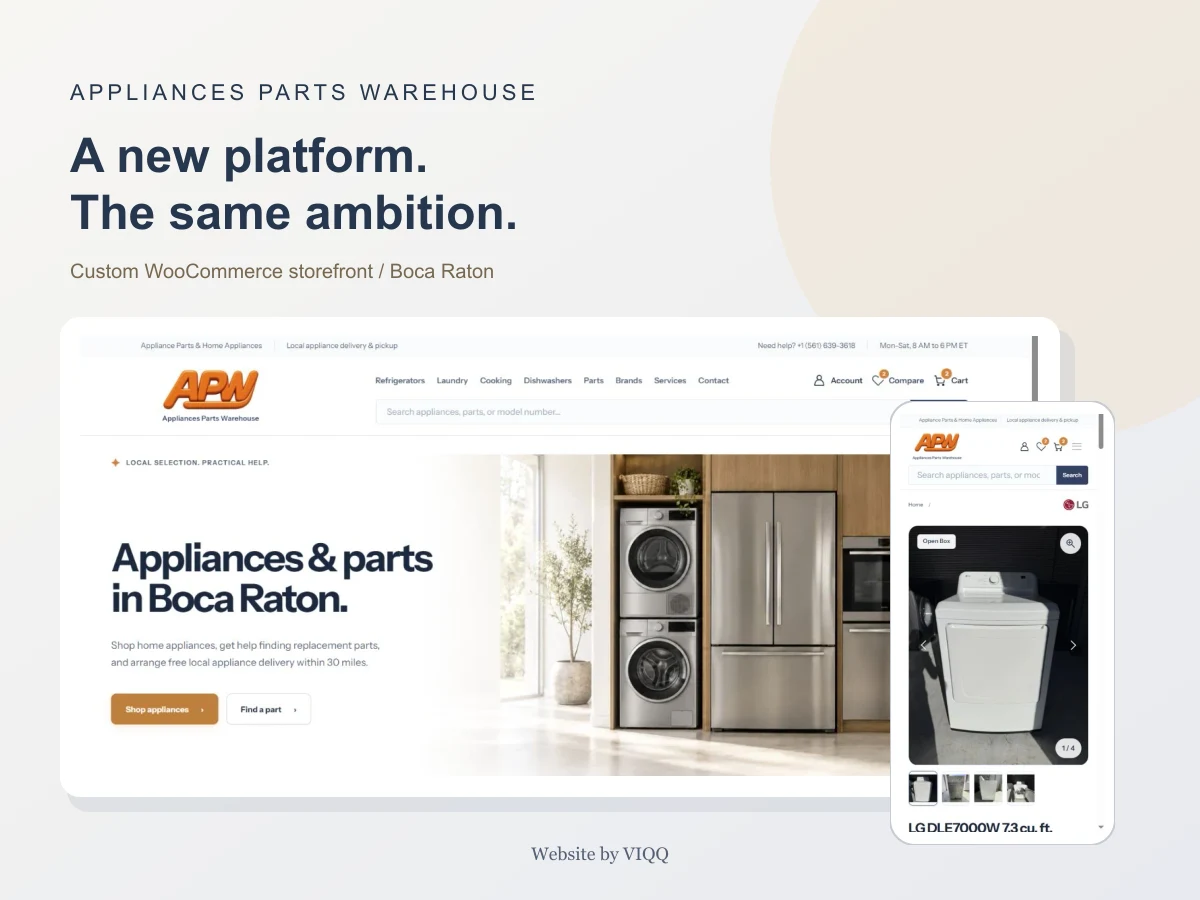
STARTING POINT
A finished storefront. A different platform.
Appliances Parts Warehouse sells appliances and helps customers find parts in Boca Raton, Florida. A shopper is choosing a particular unit, not just a model number. Its photographs, condition, included accessories and availability can all affect the decision.
The project already had an individual design and a custom Shopify storefront: a Liquid theme, templates, styles, JavaScript, a static design preview, catalog data and actual product photographs. The client then chose WordPress and WooCommerce on Spaceship hosting.
The task was to preserve that work while changing the underlying platform. Starting again with an unrelated ready-made theme would have discarded the familiar design, product details and prepared content.
VIQQ Studio moved the storefront to WooCommerce and rebuilt the path from product selection to placing an order. Final email and card-payment connections remained a separate stage requiring owner-provided details.
Task → solution
Retain the storefront design and inventory while replacing the platform.
Design retained. Commerce logic rebuilt for WooCommerce.
SOURCE MATERIAL
Start with the inventory that actually exists.
We inspected the source files, available data and working Shopify preview before deciding what to transfer. That separated the actual inventory from demonstration records and reusable design from platform-specific behavior.
The documented import contained 15 real product records and 73 photographs of particular units. At that point, 14 units were available and one was sold. Identical models with different accessories remained separate records: a machine with a pedestal was not silently merged into a standard unit.
A complete Shopify export of orders, customers and genuine store reviews was not available. We did not claim to migrate those records. Demonstration products were later unpublished, and sample testimonials were not presented as verified customer feedback.
The migration was prepared locally before changing the production store.
Import snapshot, not a claim about today's stock.
PLATFORM MIGRATION
Keep the design. Rebuild the commerce foundation.
A custom APW PHP theme carries the existing visual structure, typography, content and imagery into WordPress. WooCommerce owns products, stock, the cart and orders. This keeps the display layer separate from the transactional record.
Shopify checkout cannot simply be copied onto a different platform. The new store needed a working WooCommerce purchasing journey, rather than a visually similar form with no order behind it.
The first transfer exposed practical CMS regressions: missing card classes, nested spacing, unstyled WooCommerce controls, oversized imagery and broken service layouts. WordPress automatic formatting could split prepared markup, while editing removed part of the parts-search form.
We fixed those areas individually. Parts search became a controlled shortcode, and the prepared blocks were adapted to the way WordPress renders content.
Built for the new platform
- WordPress
- WooCommerce
- Custom PHP theme
- JavaScript
- CSS
- Photon / OpenStreetMap
- GitHub Actions
- Git / SSH
- Yoast SEO
WooCommerce owns stock, cart and order data. The theme owns presentation.
PRODUCT EXPERIENCE
Help shoppers choose the particular appliance.
Product cards prioritize the name, photograph, price, stock and action. Long names use two lines in the grid, with the complete name retained on the product page. Actions align consistently, and cents carry less visual weight than the main price.
A new-product price comparison appears only when a supported reference price exists. Without it, the store does not manufacture a discount. Savings and availability labels stay compact on mobile.
A single available unit receives a clear last-item state. A sold appliance remains accessible at its URL, but is visually muted and unavailable for purchase. WooCommerce handles quantity checks and protection against selling the same stock twice.
Photos can be browsed in the catalog and on the product page. Swipe gestures, vertical scrolling and accidental post-swipe taps were checked separately. The full-screen viewer offers navigation and zoom against a dark backdrop, so the buyer can inspect the actual unit.
Comparison brings together the available product attributes. An external model rating remains distinct from a review of that unit or of the store itself.
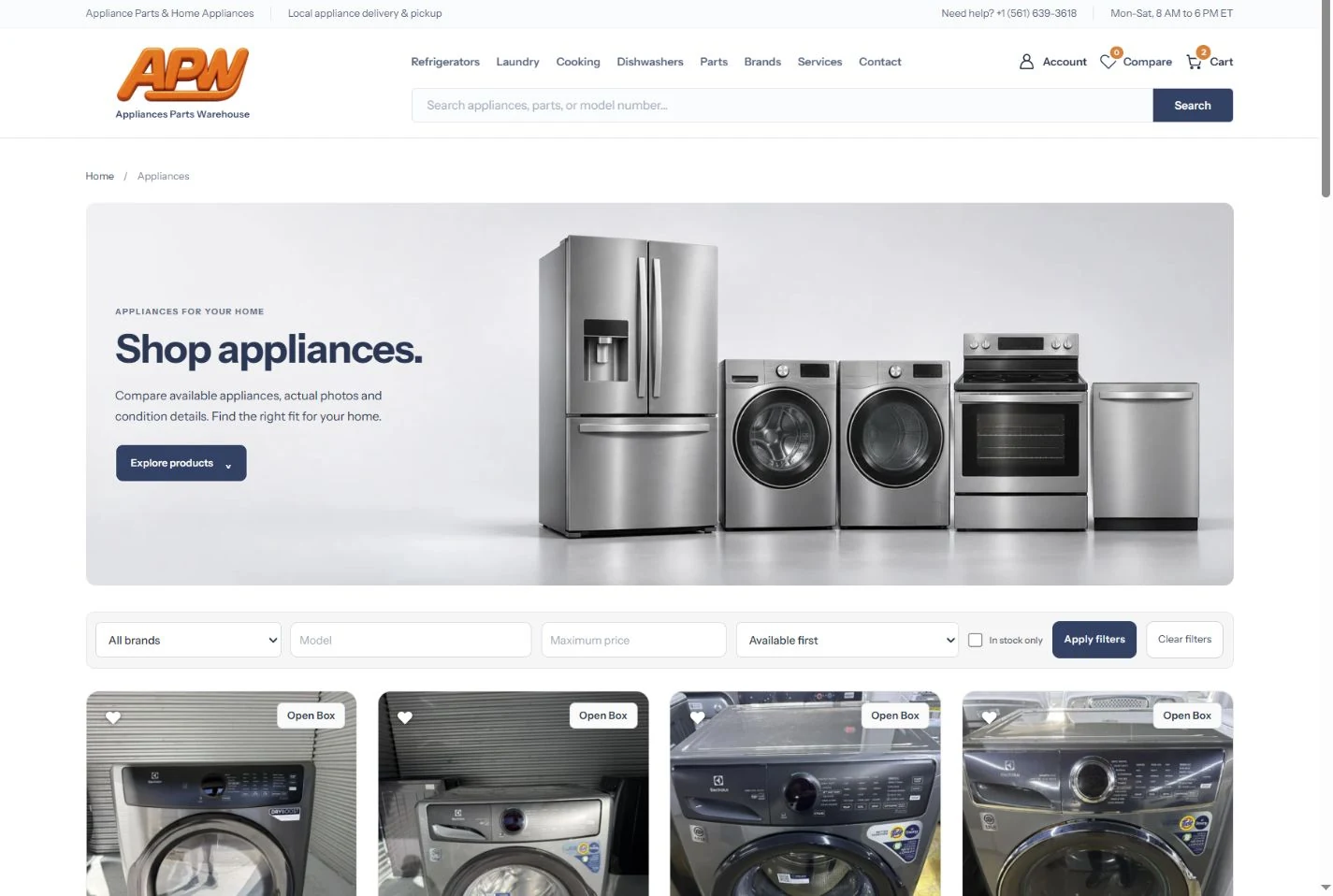
Actual production viewport. Open to inspect the interface.
PURCHASING JOURNEY
A guest checkout with clear delivery choices.
Customers do not have to create an account before ordering. They choose pickup or delivery, enter contact details and place the order. Cart and checkout summaries show products, photographs, prices and tax; product images link back to the relevant appliance.
Adding an item works without reloading the product page. The button retains an In cart / View cart state, so a small notification is not the only indication that the action succeeded.
Delivery required a separate business decision. The initial implementation checked free delivery within 30 miles of the warehouse and stopped outside-zone checkout. We revised that journey so a customer outside the zone can place an order with delivery awaiting a quote.
The site explains that transportation is not included in the displayed total and that the carrier and charge will be confirmed before dispatch. It does not invent a shipping rate or label that order free delivery. Pickup and free in-zone delivery remain separate choices.
Address suggestions use Photon with OpenStreetMap data, rather than relying only on browser autocomplete attributes. Selecting a result fills street, city, state and ZIP Code and triggers recalculation. Manual entry remains available if no result is found or the service is unavailable.
The verified version supports cash at handover. The actual card gateway remains a separate integration; payment logos do not establish that acquiring is enabled.
Pickup selected
Order as a guest, collect from the warehouse and pay cash at handover.
VISUAL SYSTEM
A visual system that works on a phone.
After the platform transfer, the interface received a further design pass: buttons, hover states, filters, comparison, forms, dialogs, product cards and the footer were brought into one system.
Light neutral surfaces, dark navy controls and a warm accent define the storefront. Two sets of 20 logo directions were prepared. The client selected option 37, which was adapted for the header, footer, favicon and sharing artwork.
The catalog and four main categories received separate light studio banners. These generated illustrations do not replace the real photographs of appliances offered for sale. The original interior scene stayed on the homepage, with framing adjusted to retain the appliances and fade gently into the white layout.
Mobile work reduced the density of cards and filters, clarified navigation, retained useful touch targets and aligned footer contacts. Dedicated mobile banner crops keep the products visible on narrow screens.

Identity direction 37, selected from 40 concepts.



Generated category artwork. Actual products use their original photographs.
IMAGE DELIVERY
Smaller image transfers. Original detail retained.
We separated original photos used for close inspection from compact catalog and mobile images. A visually rich store needs more than a couple of decorative files compressed.
One recorded optimization batch contained 12 large interface images totaling 19,689,320 bytes. Their full-size WebP versions totaled 504,202 bytes, a reduction of approximately 97.44% for this particular set. This is file weight, not a measurement of whole-site speed or conversion improvement.
The work also covered 434 generated-size references, smaller previews and deferred loading of additional photographs. Originals were retained for detailed viewing. The first product image receives priority while the rest do not all load at original resolution when the catalog opens.
19.69 MB 0.50 MB
Smaller file weight for this set. Not a whole-site speed or conversion measurement.
OWNER CONTROLS
Make the store manageable after handover.
The owner needs a practical way to operate the store. An APW Store area brings together shortcuts to products, orders, enquiries and editable content.
Dedicated fields hold homepage headings and copy, FAQs, and full and mobile service descriptions. Product fields include brand, model, condition, capacity, finish and a supported new-product reference price. WordPress stores those changes independently of theme releases.
Forms retain enquiries in a private administration area. That matters while outgoing SMTP is still pending: a missing email connection should not erase the enquiry itself.
A nine-page Russian guide covers products, photographs, inventory, orders, enquiries, text and basic search settings. The client copy contains private access information and is not displayed or distributed in this case.
Inventory
Real units, photographs and product fields.
Editable content
Homepage, services and frequently asked questions.
Handover guide
Nine pages in Russian. Private access details stay private.
TECHNICAL DELIVERY
Release code without resetting the store.
The custom theme is versioned in a private GitHub repository. GitHub Actions deploys theme code over SSH to Spaceship. Code updates stay separate from the database, orders and uploads, so an interface release does not reimport the catalog or restore outdated inventory.
The search foundation includes short URLs, redirects from old paths, canonicals, metadata, robots and a dynamic sitemap. Cart, checkout and account pages are not intended as search landing pages. Those settings are not presented as proof of Google rankings or indexing.
Verification covered behavior as well as page structure. Pickup, local delivery and delivery awaiting a quote were exercised with a hidden test product. Test orders were then cancelled and stock restored without consuming real inventory. Desktop and mobile browser checks covered key screens, images, filters, photo gestures, links and address suggestions.
The recorded final audit checked 29 unique sitemap destinations and 85 internal link destinations. These are the boundaries of that audit, not a guarantee about every possible URL.
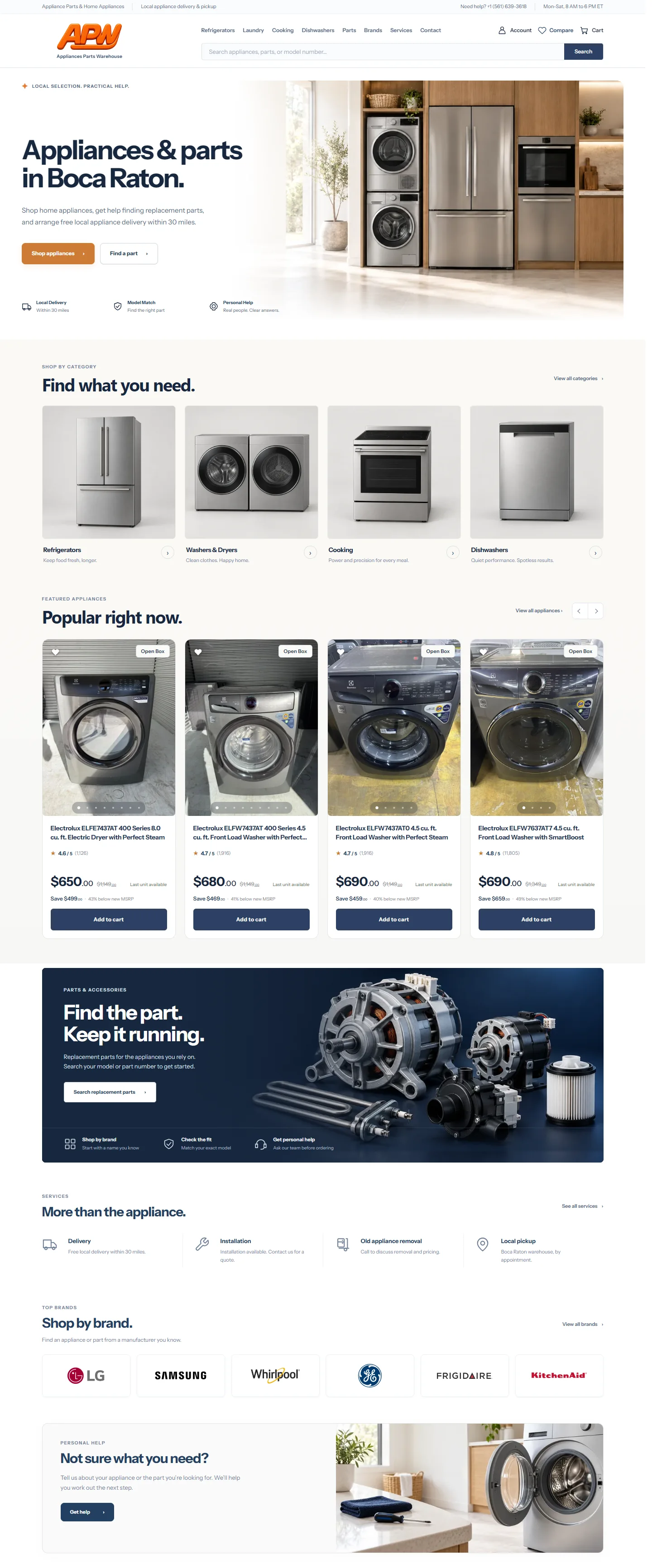
Selected production page capture, ending before sample feedback. Scroll inside or open larger.
DELIVERED RESULT
A published store with a usable operating model.
The client received a custom WooCommerce storefront on their hosting without abandoning the existing visual direction and prepared inventory. The delivered work combines real-unit catalog management, a clearer purchasing journey, owner controls and a practical handover guide.
The verified outcome is technical and operational: the store is published, cash-at-handover purchasing scenarios were checked, the owner can edit content, and releases run through Git. There is no supporting evidence here for sales, conversion, traffic or ranking growth.
Outgoing email, the actual card-payment system and Google sign-in still require owner-provided details and separate checks. They are not listed as completed integrations. Their status is kept distinct from the completed migration and interface work.
Verified delivery
Published custom WooCommerce store
Pickup, local and quoted delivery checked
Owner-managed catalog and content
Theme releases without reimporting stock
Explore the live storeAlready have a storefront worth keeping?
Start with the existing work: catalog, design, buying rules and operating requirements. We can plan the migration or improvements around what your business actually needs.

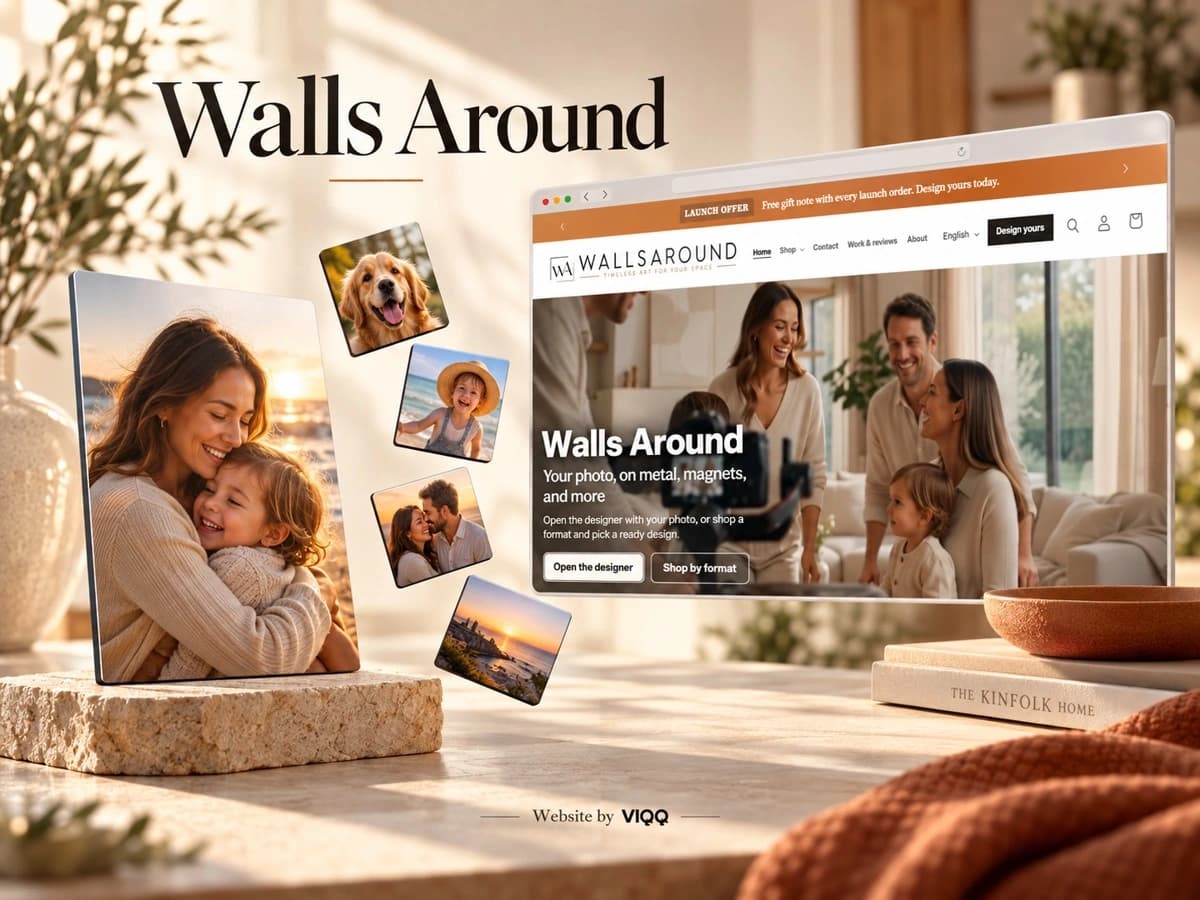
Walls Around
A Shopify store that turns a personal photo into a product, with an integrated designer and live preview.
- Shopify
- E-commerce
- Product UX
- Live preview
- Mobile UX


Skin. Scalp. Hair.
Daria’s personal website: esthetician and trichology services, three languages, appointment planning and a home-care shop.
- Web design
- Local SEO
- Booking
- Multilingual
- Mobile UX
The next project could be yours.
Tell us what you want to build. We will discuss the approach and next step.
Let us talk
Keep what works. Rebuild what needs to change.
Tell us about your current platform, catalog and purchasing rules. We will review the existing work and scope a migration or focused improvements.
Free of charge.
Prefer WhatsApp?
Vilen Khachatrian, founder and CEO of VIQQ
I will help identify priorities and a clear next step.